


Display a member's operational data
View a member's status, invoices, bookings, and history
Manage members
Access operational data
In the member list, click directly on the member's name to access their operational data page. This page displays the member's full status, invoices, bookings, and history.

Click the member's name
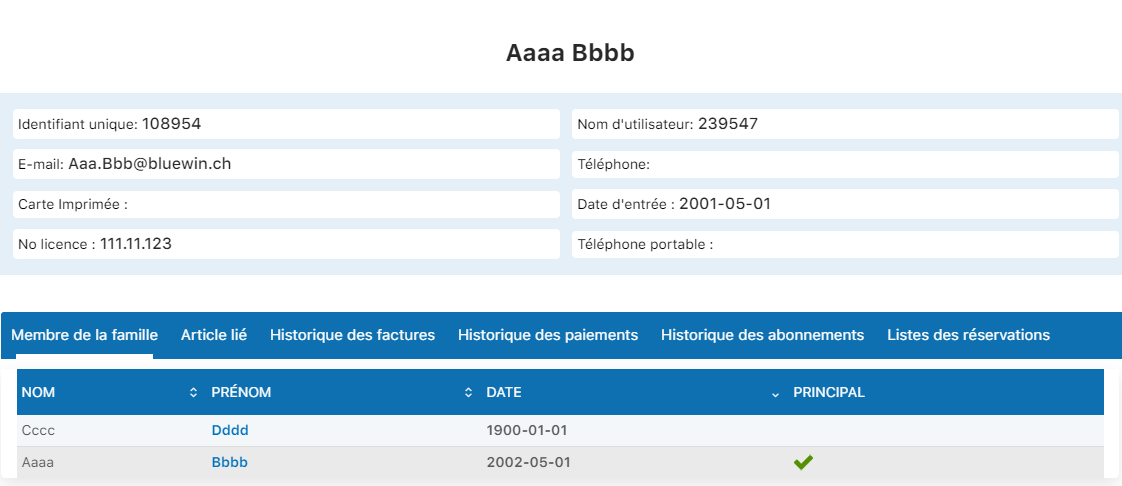
Overview of operational data
View the available tabs
Several tabs let you view different information about this member. Click each tab to access specific details:
Family member

Displays the list of members in the same family or billing group. This is the default tab that opens first.
Linked item

Displays the specific items or products linked to this member (additional billable items, special services, etc.).
Invoice history

Displays the complete list of all invoices issued for this member, with dates, amounts, and statuses.
Payment history

Displays all payments received from this member, with amounts, dates, and payment methods used.
Subscription history
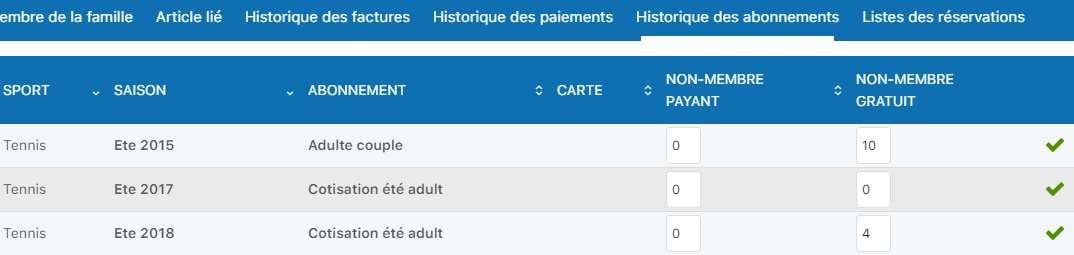
Displays all of this member's past and current subscriptions, with activation and end dates.
Booking list
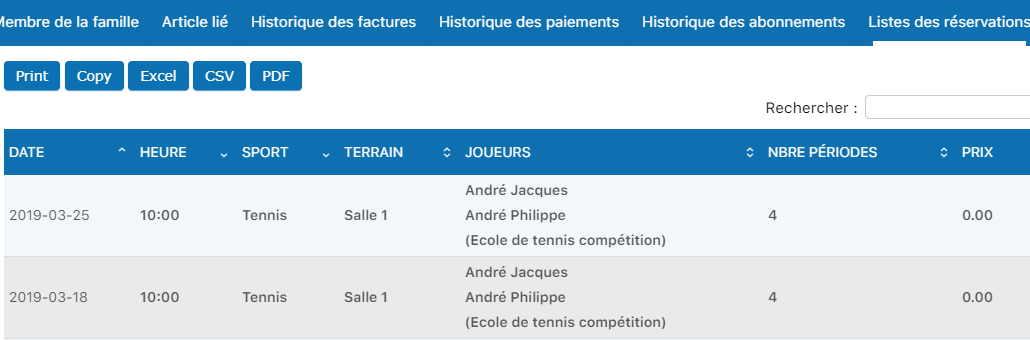
Displays all bookings made by this member for your club's activities or services.
💡 Helpful tip
This summary page is very useful for quickly checking a member's status: is there an unpaid invoice? How many active bookings? What is their current subscription?
You can print or export this data directly from this page.
Plugin.ch Manual | Chapter 8: Manage members